
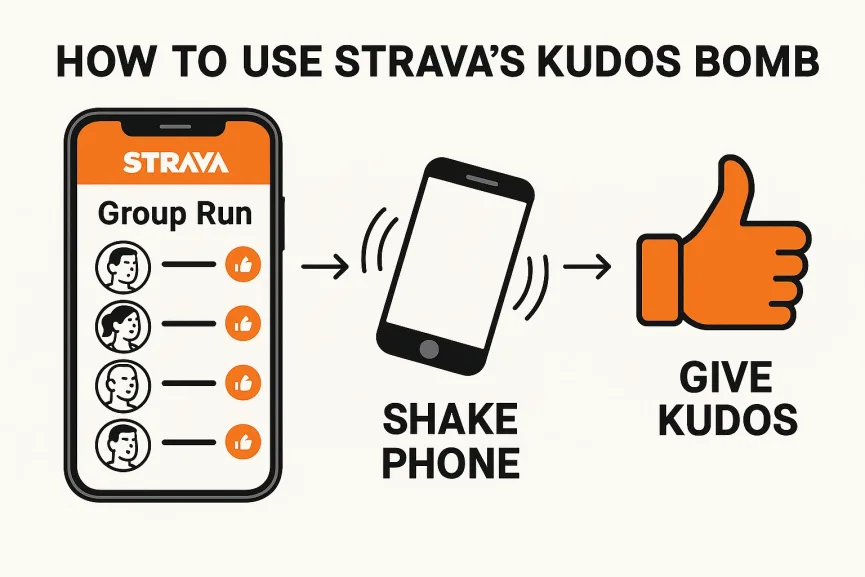
Sometimes, giving out kudos on Strava feels like a second workout.
You’re in a group run with 6, 10, maybe 15 other runners… and you’re stuck tapping and scrolling like a social media intern just to say “well done” to everyone.
But what if I told you there’s a hidden feature for that?
It’s called the Kudos Bomb — and it’s one of Strava’s least-known (but most satisfying) tricks.
How to Drop a Kudos Bomb
- Open the group run activity in the Strava app (Android or iOS)
- Tap View Group to see everyone who participated
- Now here’s the weird bit — lightly shake your phone
- A prompt will appear: “Give Kudos to All Athletes?”
- Tap yes. Watch the magic happen.
Strava will send a round of kudos to everyone in the activity, instantly.
Why Use It?
- It’s a great way to say thanks if someone else led the route.
- It saves you from endlessly tapping if you’re part of a local club or event.
- And let’s be honest… everyone likes a little digital fist bump now and then.
A Few Things to Note
- You can only use this on group runs — not just shared routes or flybys.
- You might need to enable motion permissions in your phone settings if nothing happens when you shake.